
The best pool automation systems for homes are the ones that match the equipment already on the pad, not simply the controller with the longest feature list. Compare Pentair IntelliCenter, Hayward OmniLogic, and Jandy AquaLink with attention to pump support, valves, heaters, lighting, network access, and installation complexity.
Table of Contents
- What Pool Automation Systems Do
- Pool Automation Systems Comparison
- Smart Pool Controller App Features and Remote Access
- Pool Automation Cost: Installation and Ongoing Expenses
- Pool Automation for Existing Pools
- Equipment Compatibility and Installation Requirements
- Energy Efficiency and Operating Cost Impact
- Frequently Asked Questions
Last Updated: October 18, 2026
What Pool Automation Systems Do
A pool automation system is a smart controller that manages multiple pool and spa functions automatically, eliminating manual daily operation of pumps, heaters, filters, lighting, and water chemistry equipment.
Most homeowners spend hours each week adjusting pump speeds, managing filtration cycles, controlling water temperature, and monitoring chemical levels. Pool automation systems handle these tasks on preset schedules or remote commands, delivering cleaner water, lower energy consumption, and more time enjoying your pool.
At Reynolds Pool Service, we’ve helped numerous High Desert homeowners transition from manual pool management to automated systems.
Pool automation systems typically control:
- Pump operation and variable-speed motor settings
- Filtration cycles and filter runtime
- Heater temperature and operation schedules
- Pool and spa lighting
- Water features and fountains
- Chlorination and salt system operation
- Equipment sequencing and interlocks
The key advantage is coordination. Instead of manually turning on the pump, waiting for it to warm up, then starting the heater, an automated system sequences these tasks intelligently based on time, temperature, or demand.
Pool Automation Systems Comparison
The residential pool automation market centers on three major platforms: Pentair IntelliCenter, Hayward OmniLogic, and Jandy systems (iAquaLink and AquaLink RS). Each takes a different approach to control architecture, features, and equipment compatibility, and understanding the differences helps you avoid costly mismatches.
| System | Best For | Key Strength | Primary Limitation |
|---|---|---|---|
| Pentair IntelliCenter | New pools, Pentair equipment | Comprehensive equipment control | Requires Pentair-compatible devices |
| Hayward OmniLogic | Hayward equipment owners | Intuitive mobile interface | Limited cross-brand compatibility |
| Jandy iAquaLink | Budget-conscious retrofits | Broad equipment support | Older interface design |
| Jandy AquaLink RS | Advanced automation needs | Flexible scheduling and logic | Steeper learning curve |
Pentair IntelliCenter
Pentair IntelliCenter is designed for homeowners who want centralized control of pumping, heating, sanitizing, and water features through a single platform, excelling at coordinating multiple pieces of Pentair equipment and integrating third-party devices through standard protocols.
The IntelliCenter manages complex equipment setups without separate controllers for each function. If you’re installing a new pool with Pentair equipment, it simplifies the electrical infrastructure and reduces installation labor, controlling variable-speed pumps, gas and electric heaters, salt chlorinators, and automated water features from one touchscreen or mobile interface.
What most guides miss: IntelliCenter works best when your entire equipment lineup is Pentair or Pentair-compatible. Mixing brands, a Pentair pump with a Hayward heater, for example, creates integration headaches. Before committing to IntelliCenter, verify that every major component you plan to install (pump, heater, chlorinator, lighting) is either Pentair-native or certified compatible.
Pro Tip: If you’re retrofitting an existing pool with mixed-brand equipment, IntelliCenter may require additional adapters or workarounds. Get a detailed equipment compatibility list from your installer before purchase.
Hayward OmniLogic
Hayward OmniLogic positions itself as an intuitive, user-friendly alternative to more complex systems, with a mobile app built around simplicity: large buttons, clear status displays, and straightforward scheduling without overwhelming advanced options.
OmniLogic shines for homeowners who want reliable automation without deep technical knowledge. The app is clean and responsive, and basic functions, turning on the pump, adjusting temperature, controlling lights, take two taps. Advanced users can layer in sophisticated scheduling, but beginners never need to touch it.
The tradeoff: OmniLogic’s simplicity comes at the cost of flexibility. If you need conditional logic (e.g., “run the heater only if the pump is on AND the temperature is below 82 degrees F”), you’re limited compared to more advanced platforms. For straightforward schedules and manual overrides, OmniLogic delivers. For complex automation workflows, it falls short.
Watch Out: Hayward equipment integrates seamlessly with OmniLogic, but non-Hayward devices require additional integration modules. Expect compatibility challenges if your pool mixes brands.
Jandy iAquaLink and AquaLink RS
Jandy offers two automation tiers: iAquaLink for budget-conscious homeowners retrofitting existing pools, and AquaLink RS for power users who need advanced scheduling, conditional logic, and multi-zone control.
iAquaLink is the entry point, controlling essential functions, pump, heater, lighting, and working with a broader range of third-party equipment than Pentair or Hayward.
AquaLink RS is the opposite: feature-rich and powerful but with a steeper learning curve. It appeals to homeowners with complex setups, multiple pumps, separate spa circuits, advanced lighting scenes, or smart-home integration, and its scheduling engine supports conditional logic, time-based rules, and equipment sequencing that rivals professional-grade systems.
The honest assessment: Choose iAquaLink if compatibility and retrofit simplicity matter most. Choose AquaLink RS if you need advanced features and don’t mind spending time learning the interface.
Smart Pool Controller App Features and Remote Access
The mobile app is where automation becomes practical for daily life, a controller in your equipment shed means nothing if you can’t adjust settings from your phone when you’re away or in your backyard.
Modern pool automation apps let you monitor equipment status in real time, adjust temperatures, control lighting, and run manual cycles from anywhere with internet connectivity.
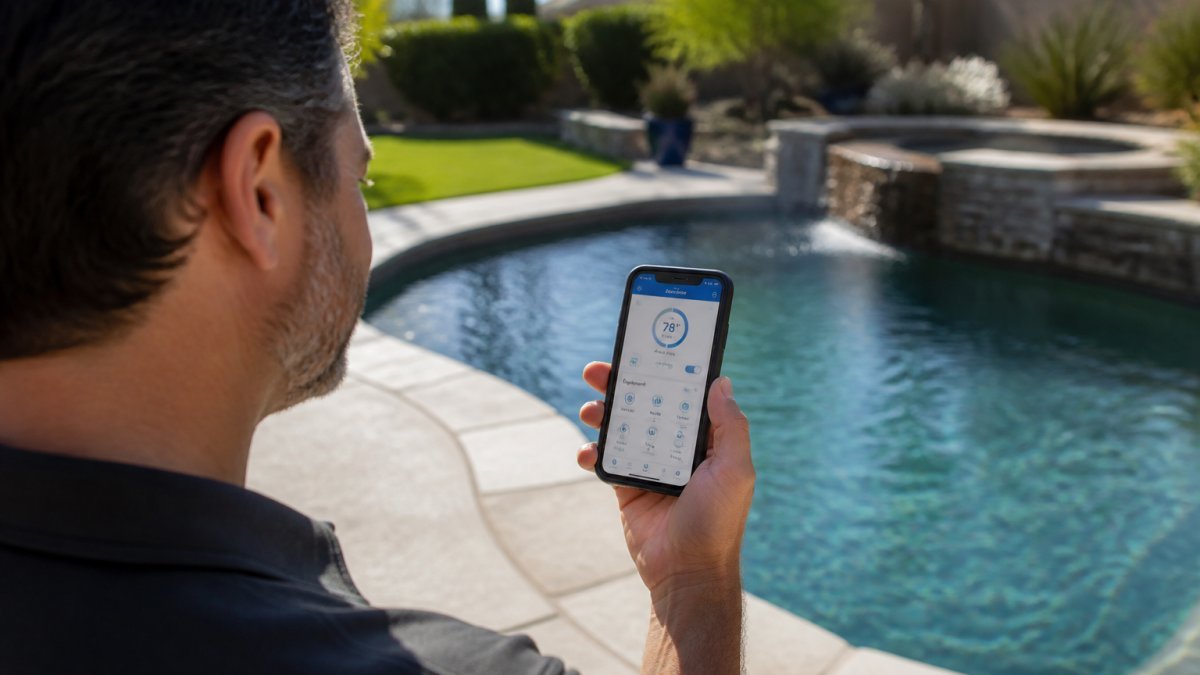
Remote access justifies the automation investment: turn on the heater before arriving home so the pool is warm when you jump in, verify the pump is running during vacation, and troubleshoot equipment status without walking to the equipment area.
App-based control also enables scheduling flexibility.
Key Takeaway: The quality of the mobile app directly impacts how much you’ll actually use automation features. A clunky interface leads to manual operation. A clean, responsive app leads to consistent automation.
Voice control integration is becoming standard. Pentair, Hayward, and Jandy systems increasingly support Amazon Alexa and Google Home, so commands like “Alexa, turn on the pool lights” add convenience for basic operations, though complex adjustments still require the dedicated app.
Pool Automation Cost: Installation and Ongoing Expenses
Cost is the primary barrier to pool automation adoption. The decision hinges on whether the convenience and energy savings justify the upfront investment.
Video reference: Should I Get An Automation System For My Pool?
Installation costs depend heavily on whether you’re retrofitting or building new. New pool installations integrate automation during construction, bundling labor and electrical work into the overall project. Retrofits require new wiring, integration with existing equipment, and potentially upgrading older components for compatibility.
Most homeowners should budget for professional installation rather than attempting DIY. Pool electrical work involves high-voltage circuits, bonding requirements, and safety codes that demand licensed expertise. A poor installation creates safety hazards and voids equipment warranties.
Ongoing expenses include equipment maintenance, occasional repairs, and replacement of sensors or communication modules. Most systems have minimal recurring costs once installed, no subscriptions or monthly fees, though salt chlorinators and advanced monitoring sensors eventually wear out and need replacement.
Watch Out: Avoid vendors who bundle automation into a package deal without breaking down costs. You need to know the controller cost, installation labor, wiring, equipment upgrades, and any integration fees separately. Hidden costs emerge after installation when you discover equipment incompatibility or need additional modules.
Energy savings offset automation costs over time. Variable-speed pumps controlled by automation use 50-90% less energy than traditional single-speed pumps, and heating efficiency improves when the system runs the heater only during optimal conditions. For most High Desert homeowners, automation can lead to significant energy savings.
Pool Automation for Existing Pools
Retrofitting an existing pool with automation is more complex than installing it in a new build. Your equipment is already in place, electrical infrastructure is fixed, and compatibility becomes the central challenge.
The retrofit process begins with a detailed equipment audit: what pump, heater, filtration type, chlorination method, and lighting setup do you have? Each answer determines which automation systems will integrate without expensive upgrades.
Jandy iAquaLink typically works best for retrofits because it supports a broader range of third-party equipment than Pentair or Hayward systems.
Pentair IntelliCenter and Hayward OmniLogic work best when your equipment is already Pentair or Hayward.
The honest reality: retrofitting an older pool sometimes costs more than installing automation in a new pool because you’re adding to existing infrastructure rather than building it in from the start.
Equipment Compatibility and Installation Requirements
Equipment compatibility is where most retrofit projects encounter problems. A controller that doesn’t communicate with your pump, heater, or chlorinator becomes an expensive paperweight.
Before selecting a pool automation system, create a detailed inventory of your existing equipment. Note the brand and model of:
- Pump (single-speed, variable-speed, or dual pump setup)
- Heater (gas, electric, or heat pump)
- Filter (cartridge, sand, or DE)
- Chlorination method (salt cell, chemical feeder, or manual)
- Lighting (incandescent, LED, color-changing)
- Any additional features (water features, spillovers, jets)
Cross-reference this list against the compatibility matrix for each automation system you’re considering. Pentair systems list compatible equipment on their website. Hayward and Jandy do the same.
Some equipment can be adapted through intermediate modules or wireless bridges, but these add cost and complexity. A wireless pump adapter might cost $300-500 and requires additional setup. A wired integration might require new conduit and electrical work, adding $800-1500 in labor.
Pro Tip: Request a written compatibility assessment from your installer. Don’t rely on verbal assurance. A detailed report documenting which equipment integrates directly, which requires adapters, and which needs replacement protects you from surprises during installation.
Installation requirements vary based on your pool’s electrical infrastructure. Pools built in the last 10 years typically have adequate wiring and bonding for automation controllers. Older pools may require electrical upgrades to meet current code, which adds cost and extends the installation timeline.
Professional installation is non-negotiable for safety and warranty purposes. Pool automation involves high-voltage circuits, bonding to the pool shell for safety, and integration with existing equipment. A licensed electrician familiar with pool equipment ensures compliance with electrical code and proper sequencing of equipment.
Energy Efficiency and Operating Cost Impact
Energy consumption is where automation delivers measurable financial benefit: a well-configured system reduces your monthly electric bill by 30-50% compared to manual operation.
Variable-speed pumps are the primary driver of savings.
Lighting control extends to energy savings as well. Automated pool lighting turns on only when needed, perhaps an hour before sunset and off at midnight, rather than running all evening.
The combined effect: most High Desert homeowners can see a significant drop in pool-related electricity consumption after installing automation.
Operating costs beyond energy are minimal. Automation systems don’t require monthly subscriptions or service fees, and occasional maintenance, replacing a sensor, servicing a pump seal, follows normal pool maintenance patterns.
Choosing a pool automation system requires balancing convenience, energy efficiency, equipment compatibility, and upfront cost.
Reynolds Pool Service specializes in evaluating existing pool equipment, assessing retrofit feasibility, and recommending automation systems that integrate seamlessly with your setup.
Frequently Asked Questions
What is the best pool automation system for a home?
The best pool automation system depends on your pool size, existing equipment, and budget. Pentair IntelliCenter, Hayward OmniLogic, and Jandy iAquaLink are industry-leading options that control pumps, heaters, lighting, and water chemistry. Each offers mobile app control and smart-home integration. For retrofit installations on existing pools, verify compatibility with your current equipment before purchasing. Contact Reynolds Pool Service for a free assessment of your specific setup.
Can I add automation to an existing pool?
Yes, pool automation for existing pools is possible, but success depends on your current equipment. Retrofit systems work with most existing pumps, heaters, and filters, though variable-speed pumps and newer equipment integrate more smoothly. Older single-speed pumps may require upgrades. A professional technician should evaluate your equipment’s age, wiring, and valve configuration before installation. Reynolds Pool Service specializes in retrofit automation assessments for pools already in operation.
How much does pool automation cost to install?
Pool automation cost varies based on system choice, pool size, and installation complexity. Hardware costs range widely depending on the controller and number of features. Retrofit installations typically cost more than new pool setups because existing wiring and equipment may require adaptation. Ongoing expenses include occasional sensor replacement and app subscriptions if applicable. For a transparent quote tailored to your pool, contact Reynolds Pool Service for a free estimate.
Can I control my pool equipment from my phone?
Yes, all major pool automation systems include mobile app control through a smart pool controller app. You can adjust pump speed, heater temperature, lighting, and filtration schedules from anywhere. Apps send alerts when equipment needs attention or when water chemistry drifts out of range. Connectivity requires a stable internet connection and Wi-Fi at the pool equipment location. Most systems work with voice assistants for hands-free control.
Will pool automation save money on energy and chemicals?
Pool automation can reduce operating costs through variable-speed pump scheduling and optimized filter cycles. Running pumps during off-peak hours and matching filtration to actual pool use cuts electricity consumption. Automated chemical dosing prevents overdosing and waste. Energy savings can help offset part of the installation cost over time, though results vary by usage patterns and local utility rates. Consult Reynolds Pool Service to estimate your specific energy and operating cost impact.